A CRM keeps every customer, every conversation and every open deal in one place, so nothing falls through the cracks. With Clean Studio you describe how you sell in plain words, approve the plan, and get a working CRM with sign-in for your team, without the features you will never use.
Consultants, agencies, small sales teams, service businesses. If customer details are spread across email, notes and spreadsheets, and the big CRMs feel heavy and expensive for what you need, a simple CRM built around your own steps keeps the team on the same page.
Everyone you work with, with their details and notes.
Each opportunity moves through your own sales steps.
Calls, emails and meetings recorded on the customer.
Tasks with due dates on each contact, so no lead is forgotten.
Each team member signs in and sees the contacts they own; the owner invites and removes people.
Open deals by stage and what closes this month.
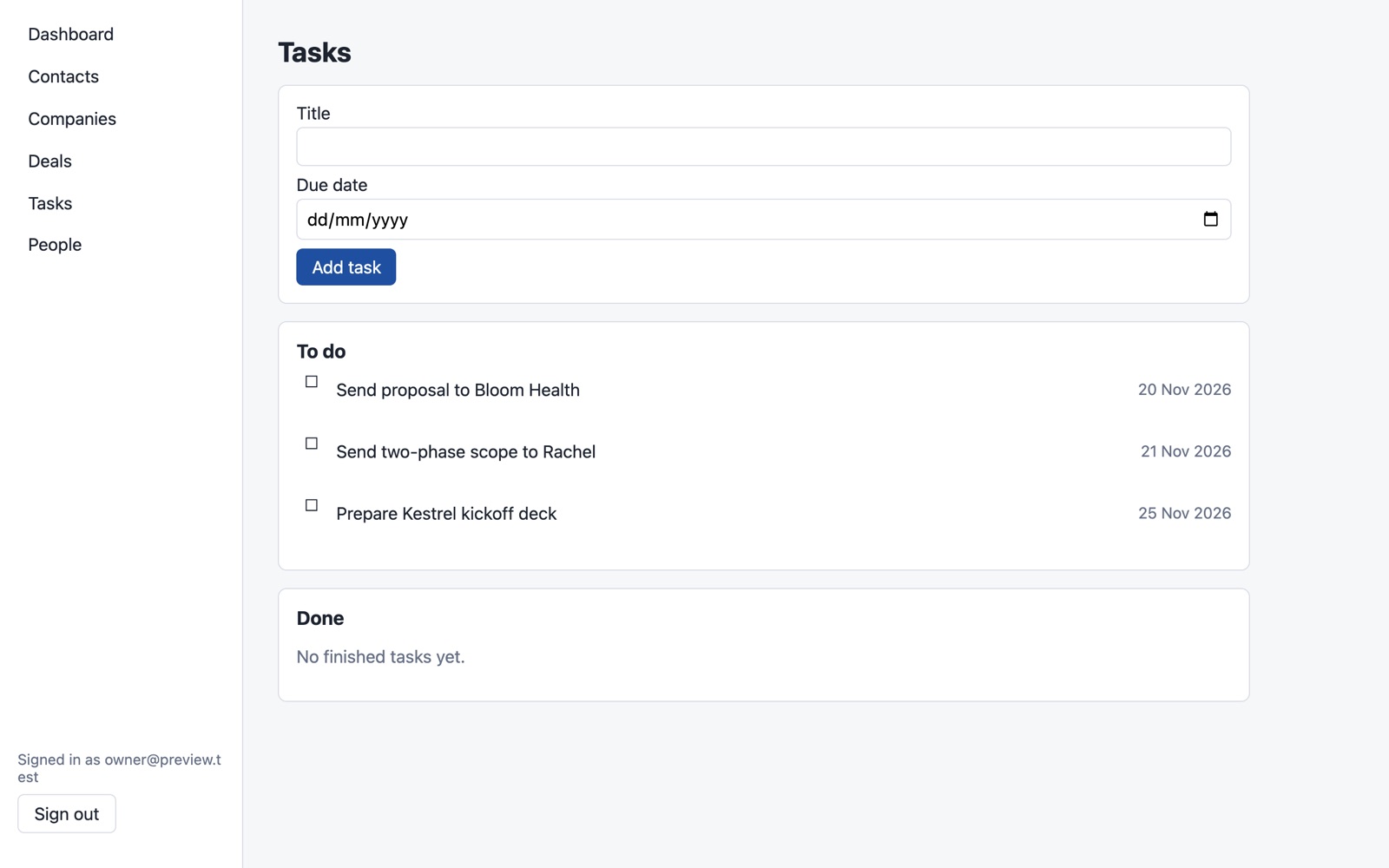
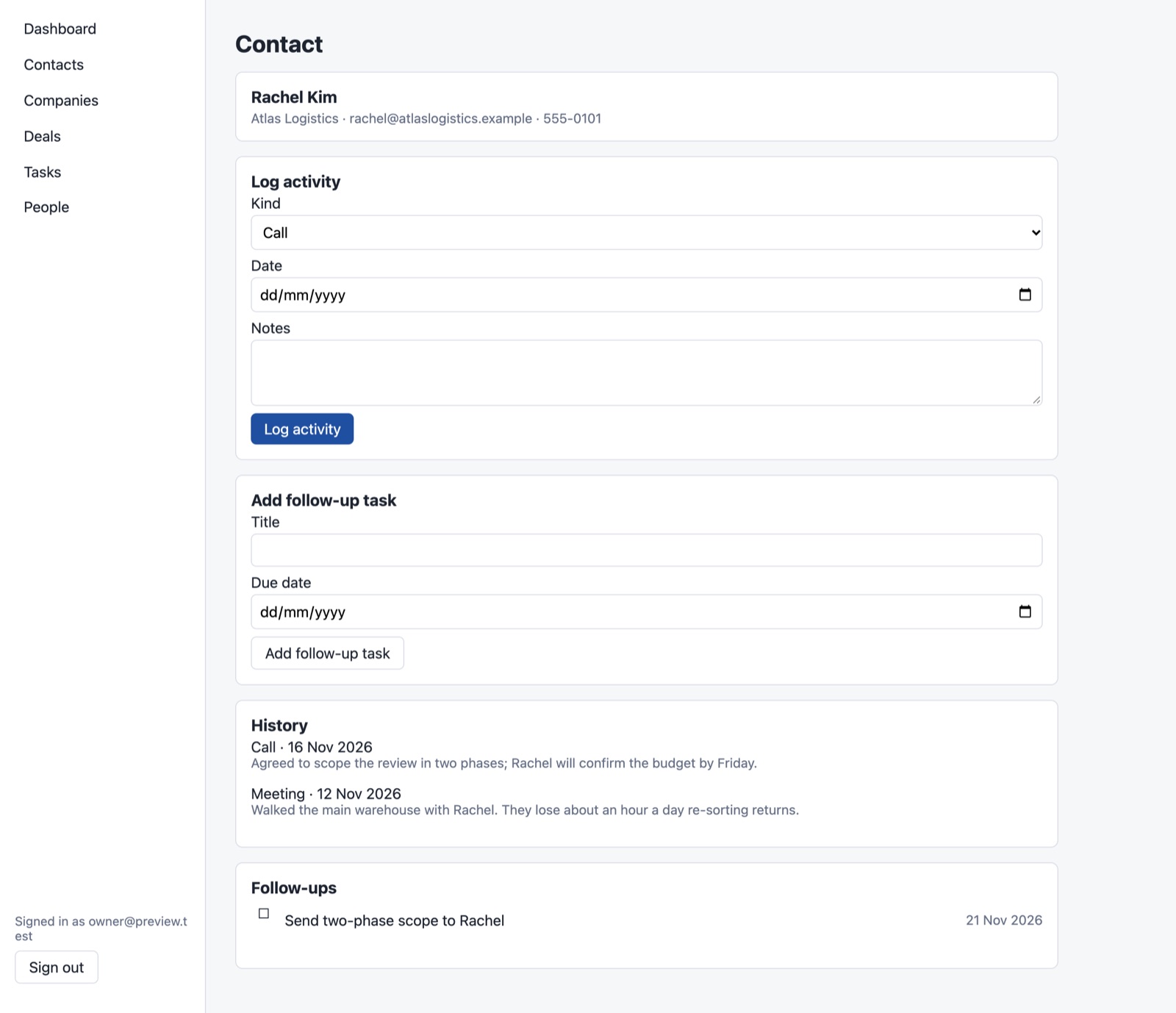
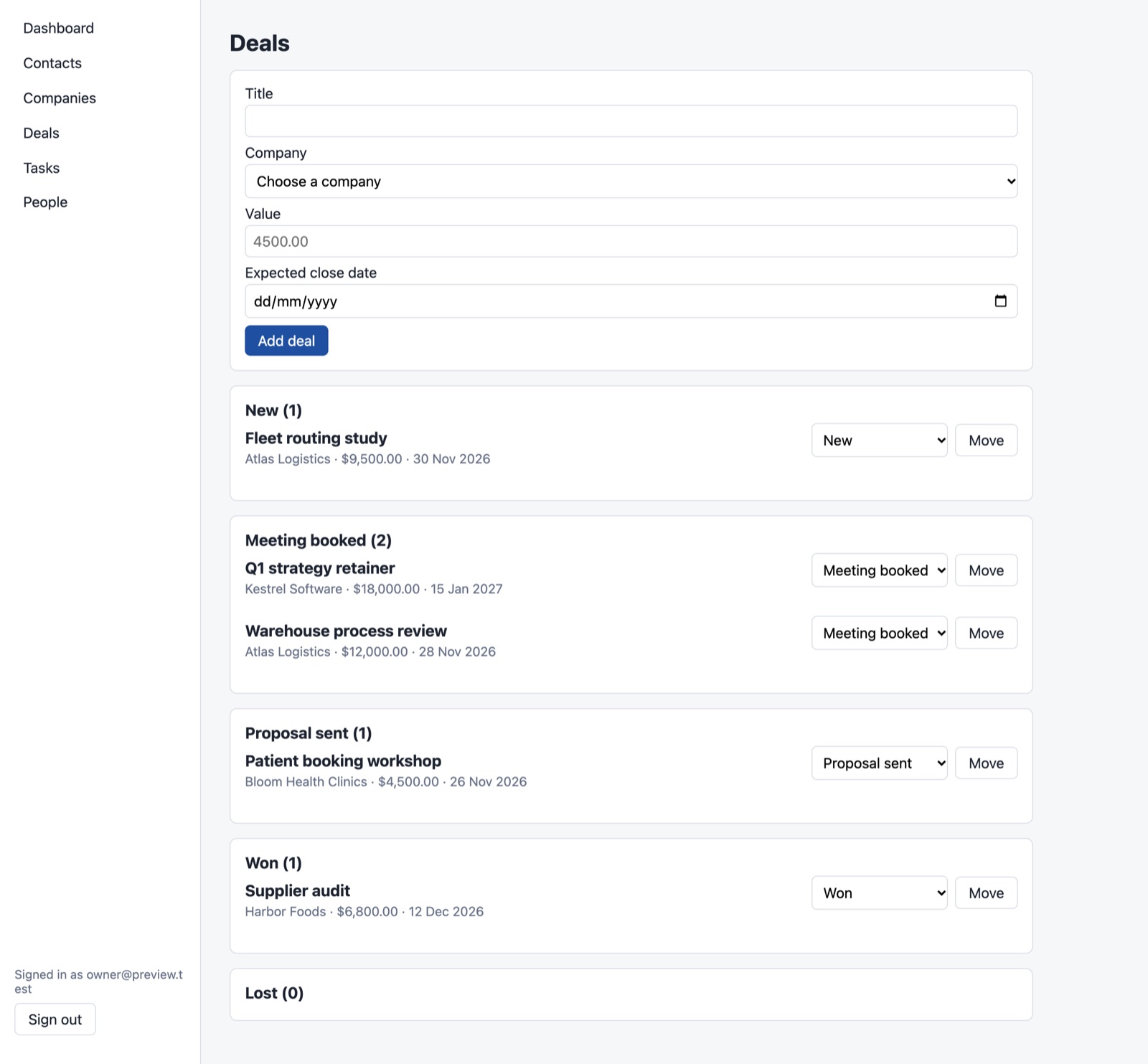
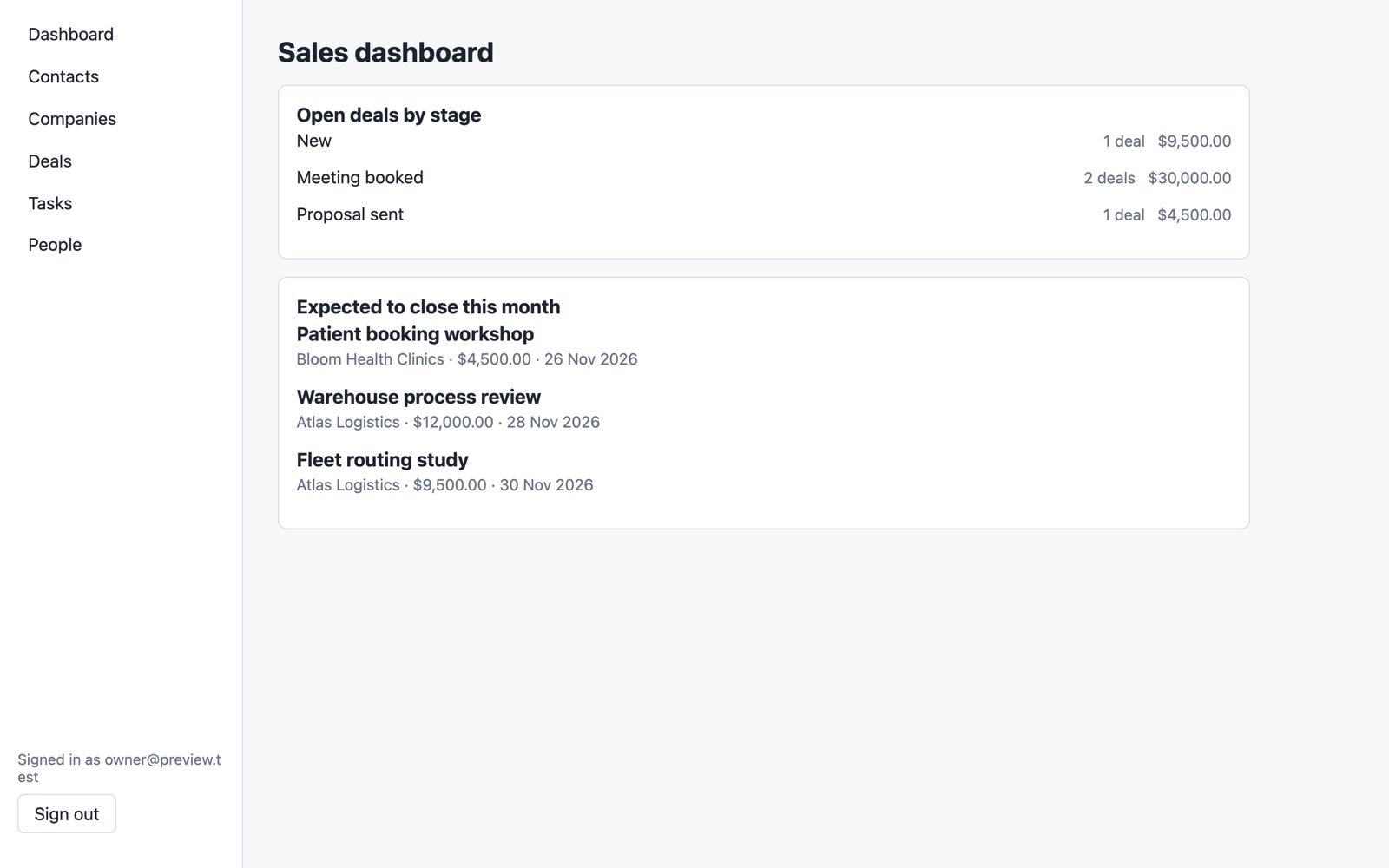
Built in Studio from one description: the plan took 3 minutes and the build 14. On the first test version the rows of each list ran together with no spaces, so we asked Studio for a change in plain words (“separate them clearly and show money values with a currency sign”) and it rebuilt the app in 13 minutes; all 41 automatic checks passed. Sample data, no real customers.
If your team already uses a CRM that fits, stay with it. If you need email campaigns and automation at scale, a full CRM like HubSpot does more. Build your own when you want only what you use: your own stages, your own fields and an app you own.
No. You describe the CRM and approve the plan in plain words. The code is generated for you.
Yes. Describe the change, approve the updated plan, and Studio rebuilds the app.
Yes. Export the plan and the generated code on any plan. Your app keeps running if you stop building.
Planning is free, and your first build costs $5 to try. To put the CRM online you need the Basic plan ($25 a month) plus $15 a month for the live app. See pricing.
Plan it for free. Try your first build for $5.
Already have an account? Sign in
