A client portal is a private website where each of your clients signs in and sees their own projects, files and invoices. With Clean Studio you describe the portal you want in plain words, approve the plan, and get a working app with sign-in for your clients and your team.
Accounting offices, design studios, consultants, agencies. If your clients email you to ask for status updates, send documents back and forth, and lose track of what they owe, a portal puts all of it in one place they can check on their own.
Each client sees only their own projects, files and invoices.
Clients check where their work stands without emailing you.
You share documents with clients and they add the ones you ask for. In this example a document is a titled text note; real file attachments such as PDFs are not part of it.
What is paid and what is due, per client.
Clients send a message on a project; your team answers in the portal.
Open projects, invoices due this month and new messages at a glance.
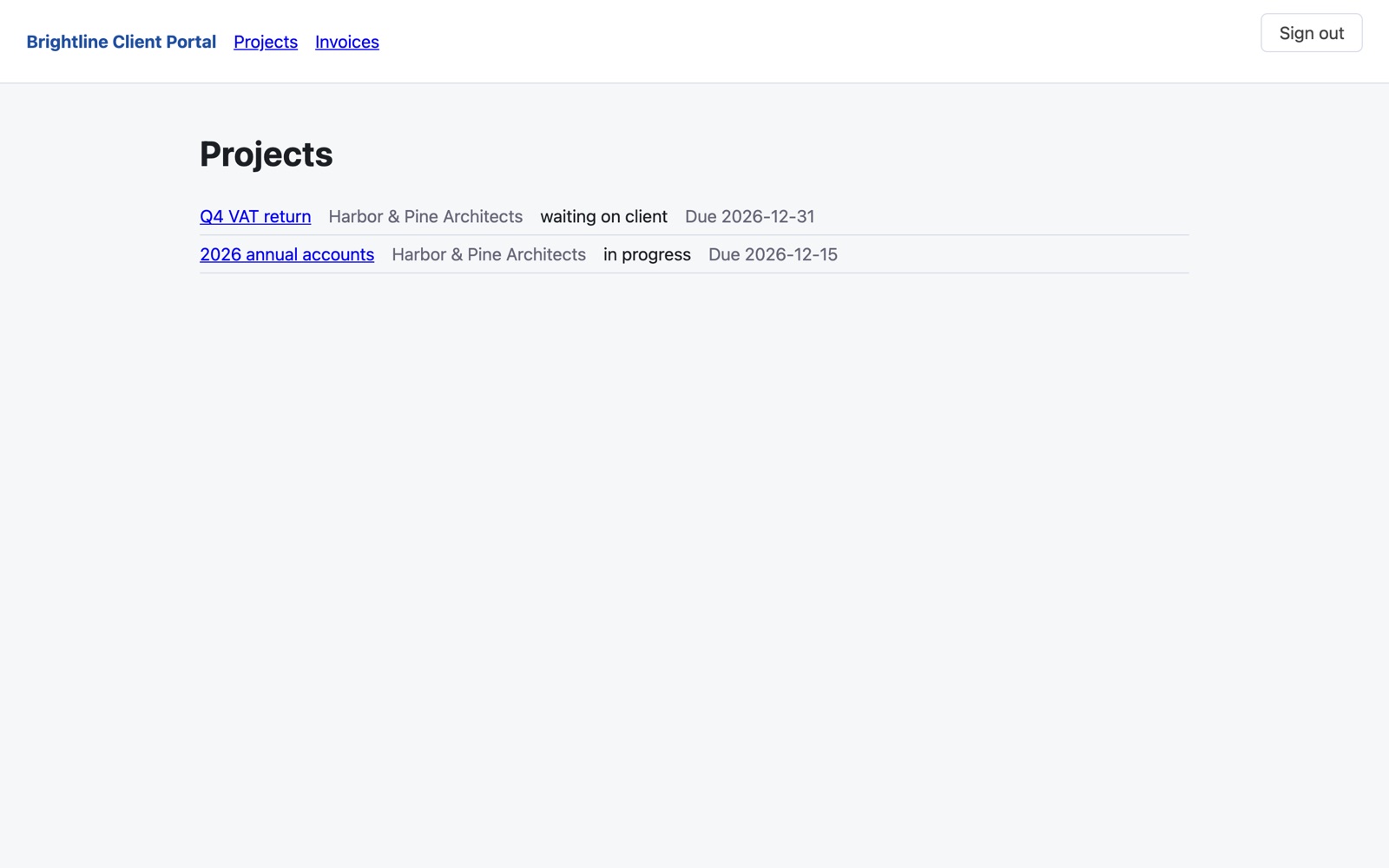
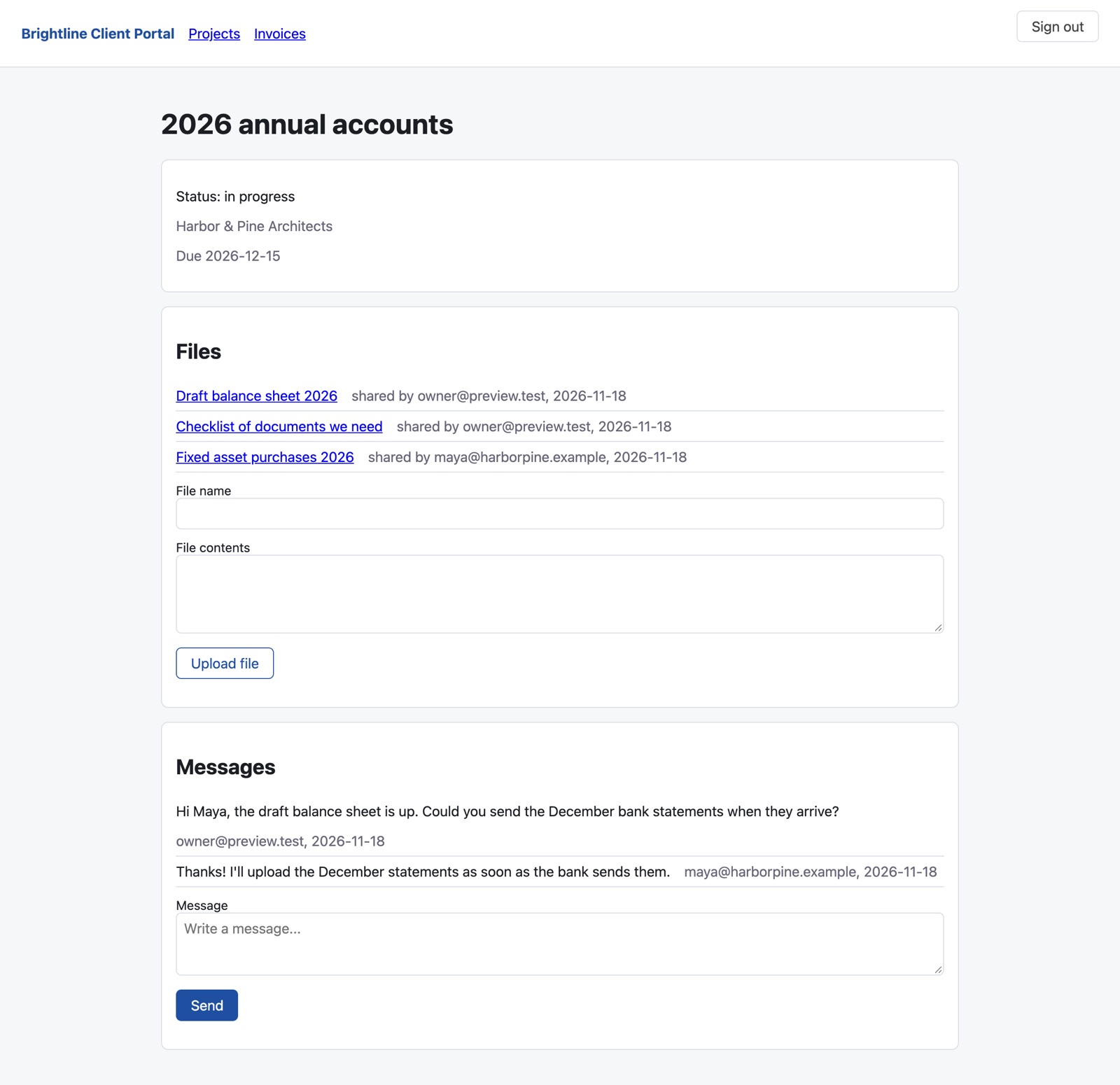
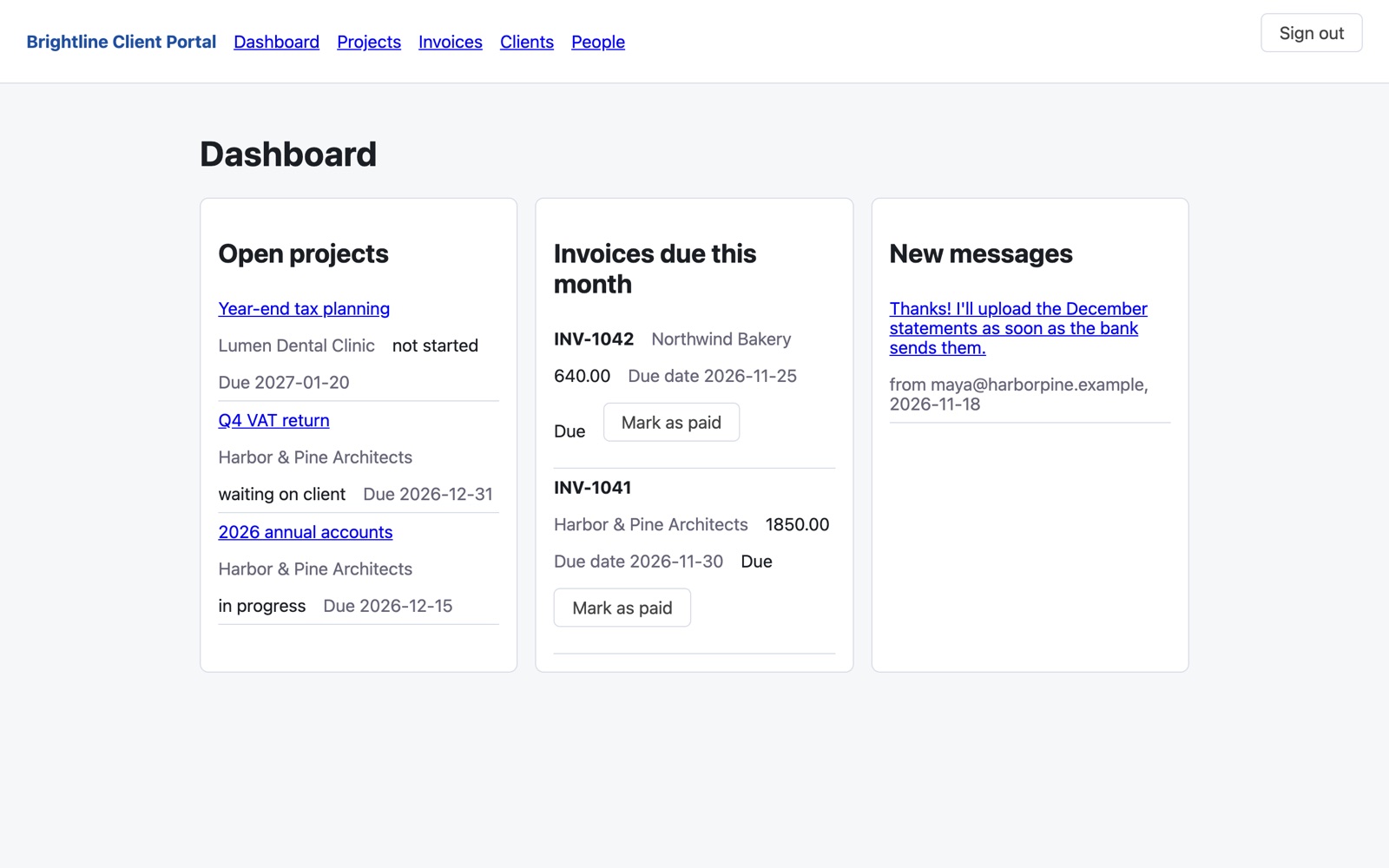
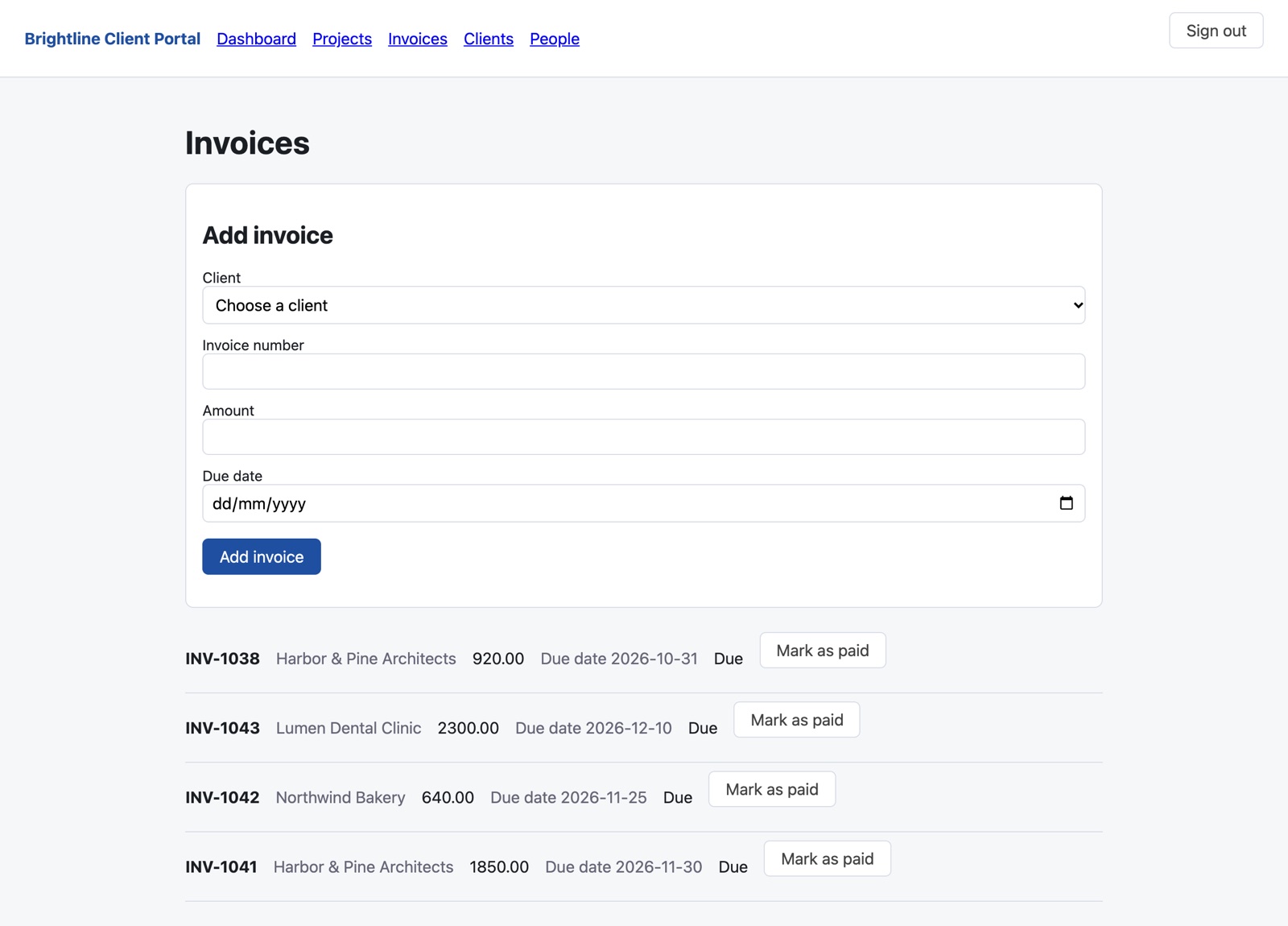
Sign in as Maya from Harbor & Pine Architects, one of the example clients.
[email protected]
Brightline-Demo-26
A shared demo with made-up data: other visitors may have added messages or documents.
Built in Studio from one description: the plan took 3 minutes, the build 14, and all 32 automatic checks passed on the first try, including “a client sees only their own projects” and “a client sees only their own invoices”. Sample data, no real clients.
If all you need is to share a few files, a shared folder is simpler. If your accounting software already includes a client portal you are happy with, use that. Build your own when you want the portal to work your way: your steps, your fields, your branding, and an app you own.
No. You describe the portal and approve the plan in plain words. The code is generated for you.
Yes. Describe the change, approve the updated plan, and Studio rebuilds the app.
Yes. Export the plan and the generated code on any plan. Your app keeps running if you stop building.
Planning is free, and your first build costs $5 to try. To put the portal online you need the Basic plan ($25 a month) plus $15 a month for the live app. See pricing.
Plan it for free. Try your first build for $5.
Already have an account? Sign in
